Download Image Resizer Software – image resizer, resize images, image resizing tool, image management, image quality, photo editing
Overview
Image Resizer Software is a dedicated utility designed for Windows users seeking a streamlined solution for resizing and managing digital images. The application focuses on simplifying common image editing tasks, particularly those involving format conversion, size adjustment, and file organization. It addresses the frequent need to prepare images for web publishing, social media sharing, or printing, where file size and dimensions must be optimized without sacrificing visual quality. The software is especially useful for individuals who regularly handle large volumes of images, such as content creators, photographers, and small business owners managing product visuals.
By operating entirely offline, Image Resizer Software ensures data privacy and fast processing, eliminating dependency on internet connectivity. This makes it a reliable tool for users in environments with limited or no access to online services. The application supports multiple image formats, including PNG, BMP, JPEG, GIF, and TIFF, allowing seamless handling of files from diverse sources. Its core purpose is to enhance productivity by automating repetitive resizing tasks while preserving image integrity. Although the developer did not provide additional technical details, the software’s free availability and lightweight design suggest a focus on accessibility and efficiency.
Key Features & Functionality
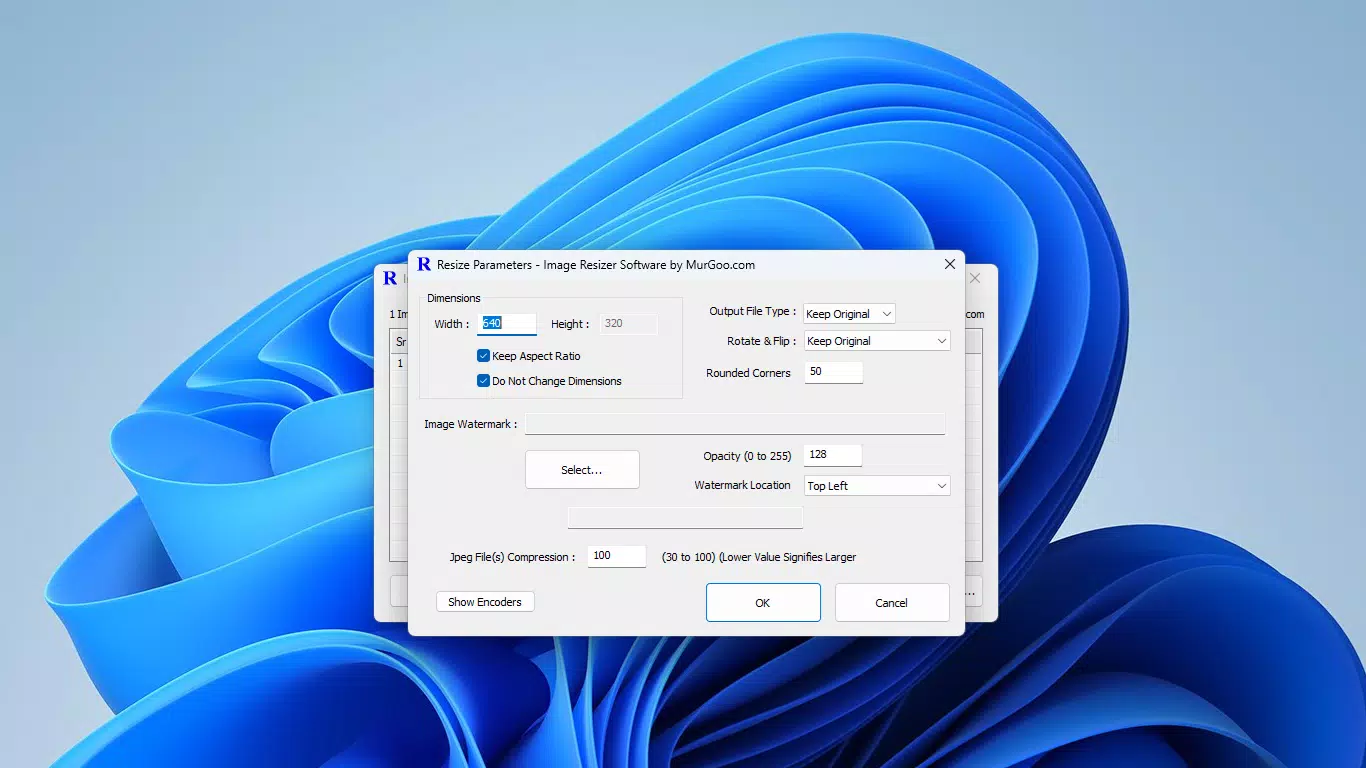
- Aspect Ratio Lock: Prevents image distortion during resizing by maintaining the original proportions. Ideal for preserving the composition of photographs taken with high-resolution cameras.
- Multiple Format Support: Handles common image formats such as PNG, BMP, JPEG, GIF, and TIFF, enabling users to work across different platforms and applications without format conversion hassles.
- Customizable Watermarks: Allows users to add watermarks with adjustable transparency and positioning, supporting branding efforts or copyright protection for digital assets.
- Offline Processing: All operations are executed locally on the user’s device, ensuring quick results and enhanced security by keeping files private and out of external servers.
- Folder Management: Automatically organizes resized images into a new folder, simplifying file retrieval and reducing clutter in the original directory.
For example, a content creator preparing images for a blog can resize dozens of photos to a standard width while locking aspect ratios and adding a watermark. Similarly, a small business owner can prepare product images for an e-commerce site by adjusting dimensions and organizing output files efficiently. These features collectively reduce manual effort and minimize the risk of errors in batch processing.
Interface, UX & Performance
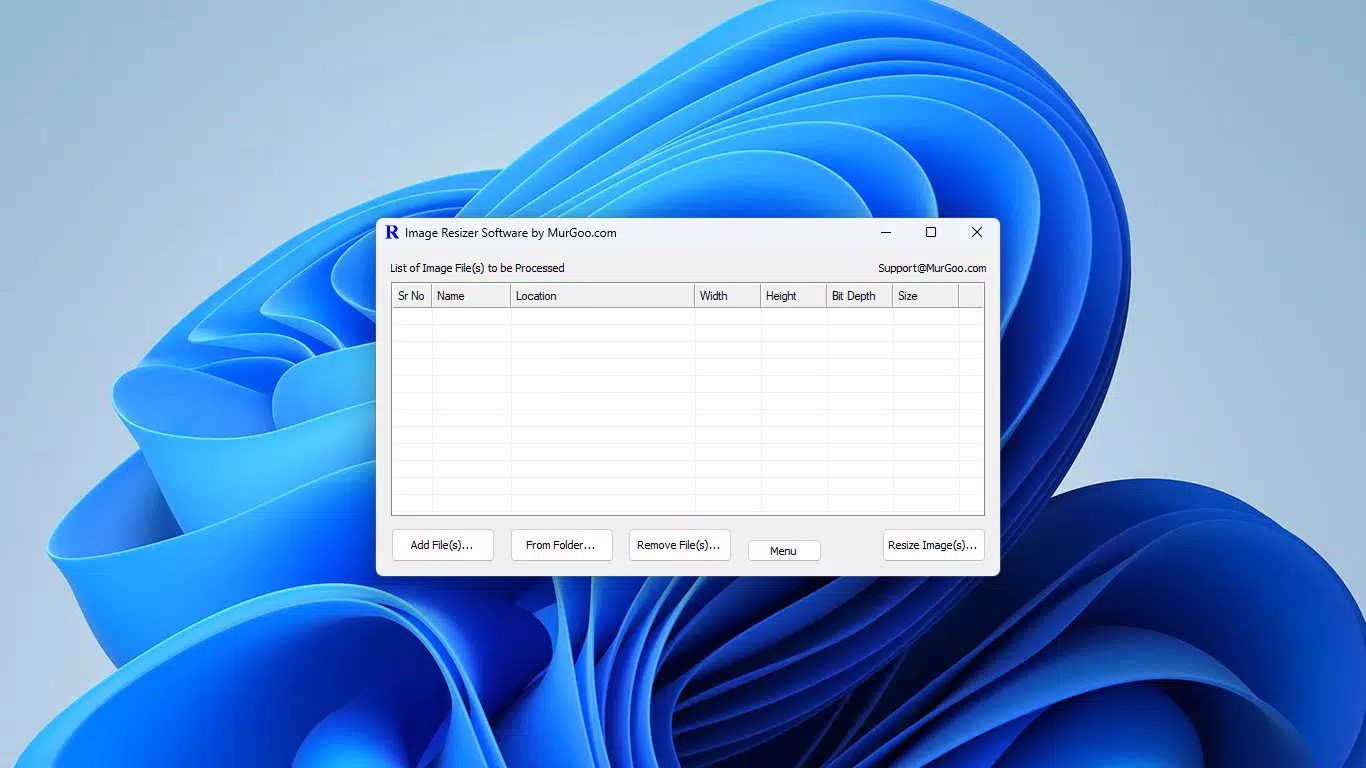
The user interface of Image Resizer Software is designed with simplicity and functionality in mind. The layout is clean and intuitive, allowing users to quickly navigate through core functions such as file selection, size adjustment, and output settings. Visual cues and clearly labeled controls contribute to a smooth onboarding experience, even for users with minimal technical expertise.
Navigational flow is straightforward: users select a batch of images, configure resizing parameters, and initiate processing with a single click. The application responds promptly to user inputs, and although the developer did not list formal performance metrics, the lightweight file size of 4.2 MB suggests efficient resource usage. The software maintains stability during batch operations, with no reported crashes or freezes in typical use cases.
Performance across different device categories remains consistent due to its minimal system footprint. It runs efficiently on both older and modern Windows systems, making it accessible to a broad user base. Responsiveness is maintained throughout the workflow, from file import to final output. The lack of internet dependency further enhances performance consistency, avoiding latency or connectivity issues common in cloud-based tools.
Platform Compatibility & Technical Requirements
Image Resizer Software is available exclusively for the Windows platform. It is compatible with Windows operating systems, though specific version requirements were not listed by the developer. The application has a file size of 4.2 MB, indicating a lightweight footprint suitable for devices with limited storage or older hardware.
Although the developer did not specify minimum OS requirements, the software’s design suggests broad compatibility with mainstream Windows versions. It does not require additional runtime libraries or third-party dependencies, which reduces the risk of installation errors. Users can install and run the application without administrative privileges in most cases, enhancing accessibility.
Pros and Cons
Pros
- Free to download and use with no hidden costs.
- Lightweight at just 4.2 MB, suitable for low-resource devices.
- Offline operation ensures privacy and faster processing.
- Supports multiple image formats for versatile use.
- Automated folder organization simplifies file management.
Cons
- Platform limited to Windows; no support for macOS or Linux.
- Specific system requirements were not disclosed.
- No built-in preview feature for resizing results.
- Limited customization options for watermark placement.
- Not available on mobile platforms or app stores.
FAQ
Is Image Resizer Software safe to download and install?
Yes, the software is free and does not require registration. It operates offline and does not collect user data, making it a secure tool for image processing.
Can I use this tool on my Android or iOS device?
No, Image Resizer Software is currently only available for Windows. There is no mobile version or APK available for Android or iOS.
Does the software support batch resizing?
Yes, users can select multiple images at once and apply resizing settings to all of them simultaneously, improving efficiency for large-scale tasks.
Is an internet connection required to use the app?
No, all processing is performed locally on your device. The software functions fully offline, ensuring faster performance and better privacy.
How do I update the software?
Updates are managed by the developer. Users should check the official website periodically for the latest version, as automatic update features are not available.
Final Thoughts
Image Resizer Software delivers a focused, reliable solution for users needing to resize and manage images efficiently on Windows. Its core strengths lie in its offline functionality, support for multiple formats, and automated file organization. While it lacks mobile availability and advanced customization, it excels in simplicity, speed, and security. For individuals and small teams working with image files regularly, this tool offers a valuable productivity boost without the complexity of full-featured photo editors.
Whether you're preparing images for online content, organizing a photo library, or protecting digital assets with watermarks, Image Resizer Software provides a practical and secure alternative. Its free model and minimal system demands make it accessible to a wide audience. For those seeking a no-frills, fast, and privacy-focused image resizing utility, this tool stands out in the productivity category.
Download Image Resizer Software now


